@DataJpaTest Spring Boot Example
In this tutorial, we will learn how to use Spring boot provided @DataJpaTest annotation to test Repository layer components.
We use Spring boot starter test dependency to write JUnit tests for Repository layer components:
        <dependency>
            <groupId>org.springframework.boot</groupId>
            <artifactId>spring-boot-starter-test</artifactId>
            <scope>test</scope>
        </dependency>
@DataJpaTest Annotation Overview
Spring Boot provides the @DataJpaTest annotation to test the persistence layer components that will autoconfigure in-memory embedded database for testing purposes.
The @DataJpaTest annotation doesn’t load other Spring beans (@Components, @Controller, @Service, and annotated beans) into ApplicationContext. By default, it scans for @Entity classes and configures Spring Data JPA repositories annotated with @Repository annotation.
By default, tests annotated with @DataJpaTest are transactional and roll back at the end of each test.
Spring boot provided @DataJpaTest annotation is not only to test Spring Data JPA repositories but it also supports to test JPA-related components.
For example:
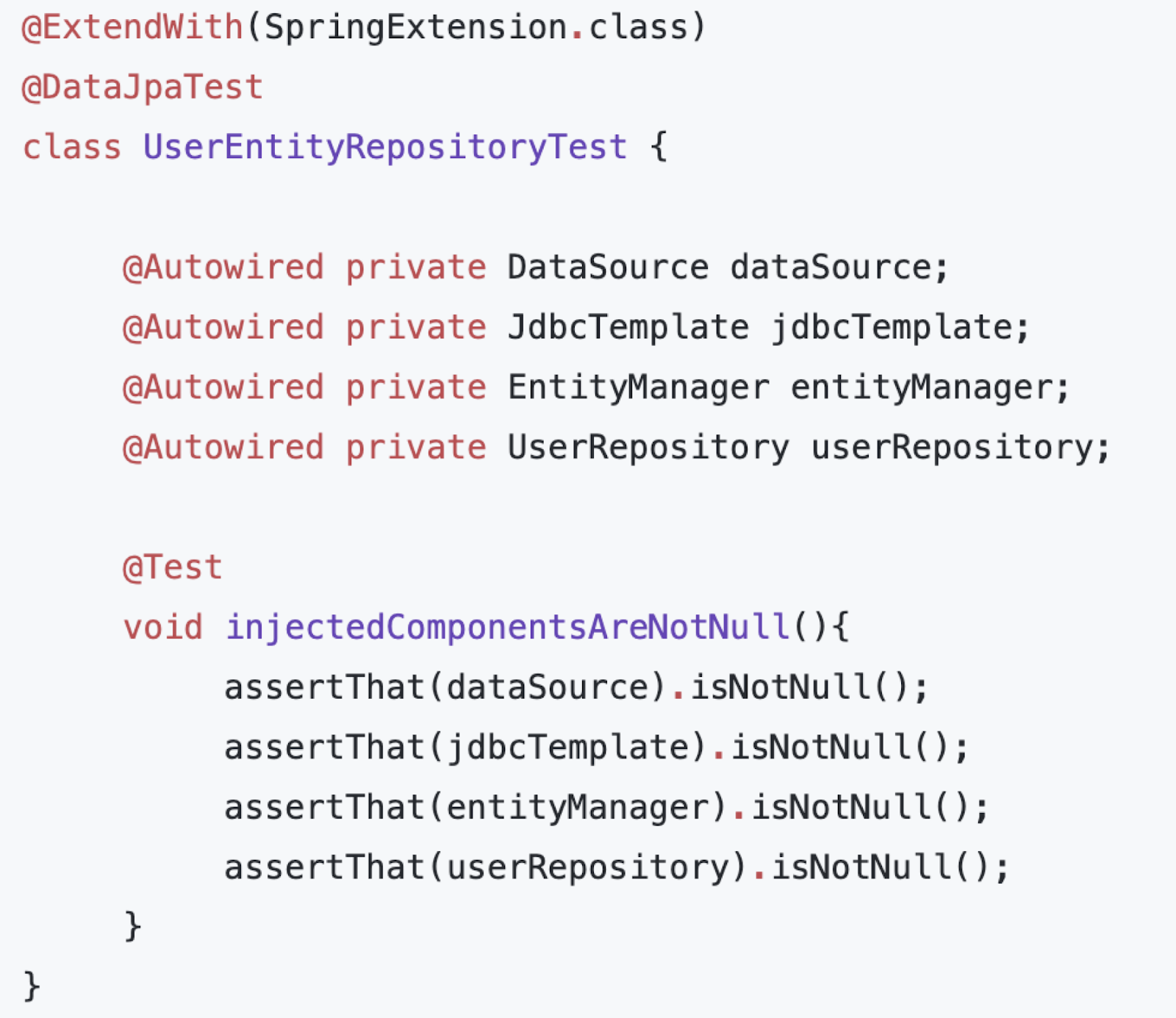
@DataJpaTest Spring Boot Example
Create Spring Boot Application
Using spring initialize, create a Spring Boot project and add the following dependencies:
- Spring Data JPA
- Lombok
- H2 Driver
Generate the Spring boot project as a zip file, extract it, and import it into IntelliJ IDEA.
Make sure that you have the below dependencies added to your pom.xml file:
            <dependency>
                <groupId>org.springframework.boot</groupId>
                <artifactId>spring-boot-starter-data-jpa</artifactId>
            </dependency>

            <dependency>
                <groupId>com.h2database</groupId>
                <artifactId>h2</artifactId>
                <scope>runtime</scope>
            </dependency>

            <dependency>
                <groupId>org.projectlombok</groupId>
                <artifactId>lombok</artifactId>
                <optional>true</optional>
            </dependency>

            <dependency>
                <groupId>org.springframework.boot</groupId>
                <artifactId>spring-boot-starter-test</artifactId>
                <scope>test</scope>
            </dependency>
Create JPA Entity
Next, let's create a Student JPA entity:
package net.javaguides.spirngboot.entity;

    import lombok.*;

    import jakarta.persistence.*;

    @Setter
    @Getter
    @Builder
    @AllArgsConstructor
    @NoArgsConstructor
    @Entity
    @Table(name = "students")
    public class Student {

        @Id
        @GeneratedValue(strategy = GenerationType.IDENTITY)
        private long id;

        @Column(name = "first_name")
        private String firstName;

        @Column(name = "last_name")
        private String lastName;
        private String email;
    }
Create Spring Data JPA Repository
Let's create StudentRepository which extends the JpaRepository interface:
package net.javaguides.spirngboot.repository;

    import net.javaguides.spirngboot.entity.Student;
    import org.springframework.data.jpa.repository.JpaRepository;

    public interface StudentRepository extends JpaRepository<Student, Long> {
    }
JUnit Tests for Data Access or Repository Layer with H2 database
Let's create StudentRepositoryTests class and add the following content to it:
package net.javaguides.spirngboot.repository;

    import net.javaguides.spirngboot.AbstractContainerBaseTest;
    import net.javaguides.spirngboot.entity.Student;
    import org.junit.jupiter.api.Assertions;
    import org.junit.jupiter.api.Test;
    import org.springframework.beans.factory.annotation.Autowired;
    import org.springframework.boot.test.autoconfigure.orm.jpa.DataJpaTest;

    import static org.junit.jupiter.api.Assertions.*;

    @DataJpaTest
    class StudentRepositoryTest {

        @Autowired
        private StudentRepository studentRepository;

        // JUnit for save student operation - BDD style
        @Test
        public void givenStudentObject_whenSave_thenReturnSavedStudent(){

            // given - setup or precondition
            Student student = Student.builder().firstName("Ramesh")
                    .lastName("fadatare").email("ramesh@gmail.com").build();

            // when - action or the testing
            Student savedStudent = studentRepository.save(student);

            // then - very output
            Assertions.assertNotNull(savedStudent);
            Assertions.assertNotNull(savedStudent.getId());

        }

        // JUnit for findById student operation - BDD style
        @Test
        public void givenStudentId_whenfindbyId_thenReturnSavedStudent(){

            // given - setup or precondition
            Student student = Student.builder().firstName("Ramesh")
                    .lastName("fadatare").email("ramesh@gmail.com").build();
            Student savedStudent = studentRepository.save(student);

            // when - action or the testing
            Student studentDB = studentRepository.findById(student.getId()).get();

            // then - very output
            Assertions.assertNotNull(studentDB);
        }
    }
Spring Boot provides the @DataJpaTest annotation to test the persistence layer components that will autoconfigure in-memory embedded database for testing purposes. In this example, we are using an H2 in-memory database for testing purposes.
Run JUnit tests
.png)
Conclusion
In this tutorial, we have learned how to use Spring boot provided @DataJpaTest annotation to test Repository layer components.